Every enquiry gets a place and an owner
Agree incoming channels, a shared queue and assignment rules. The team can see what is being handled.
 AsyTech
CRM / CUSTOMERS AND SALES
Who owns the customer, what was agreed and what happens next — in one system. We build a CRM around your team and connect sales with order delivery.
Start with a conversation. No prepared specification required.
FEWER GAPS IN SALES
Agree incoming channels, a shared queue and assignment rules. The team can see what is being handled.
Connect deal stages with tasks, due dates and agreements. Make it easier to spot stalled deals.
Set up handover with the necessary data. Keep useful systems and connect them through integrations.
OUR COMPLETED PROJECTS
Different businesses need different workspaces. Explore interfaces and sample workflows, from service requests to an industrial customer workspace.
Names, amounts and dashboard values are demonstration data, not measured implementation outcomes.
Customer workspace
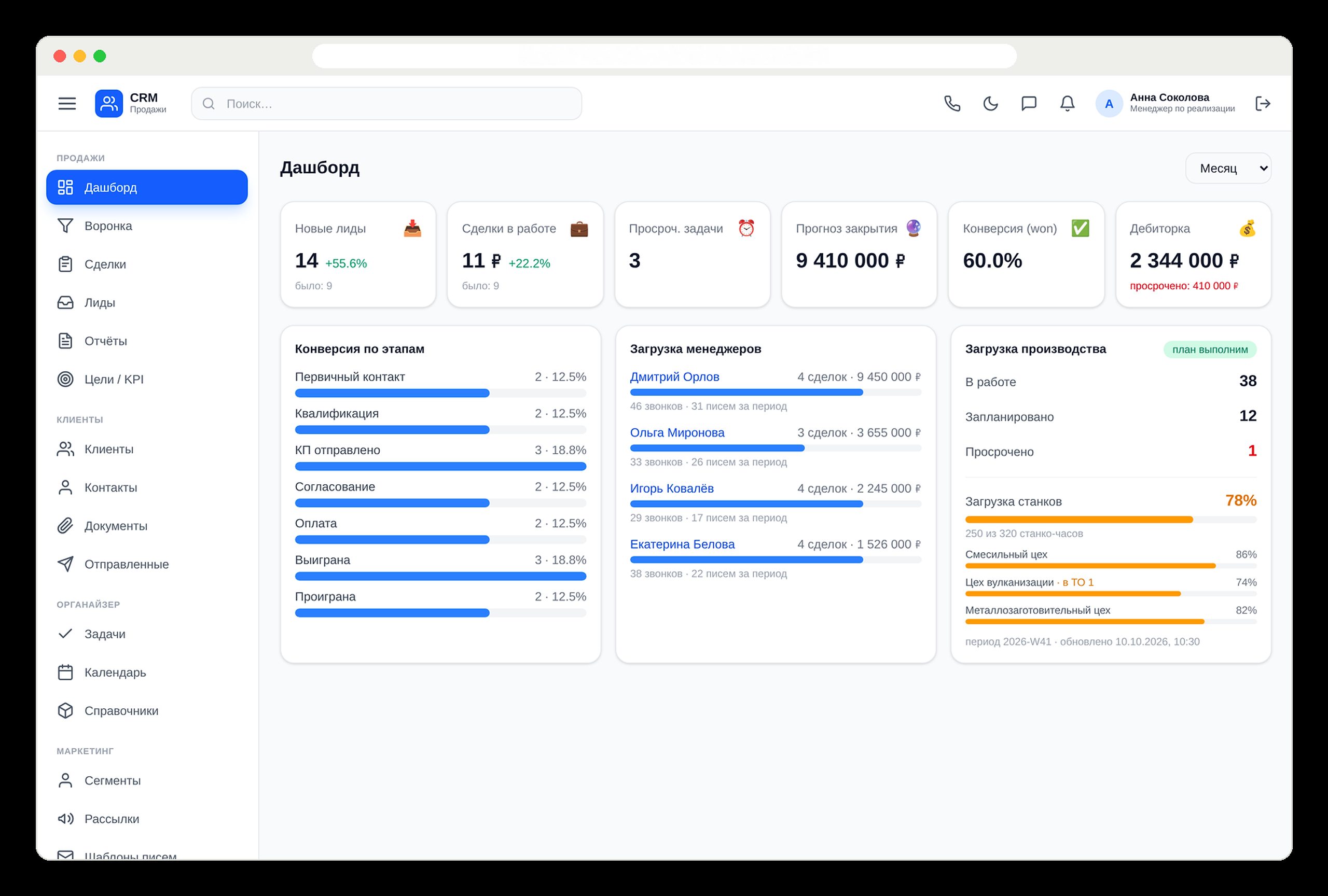
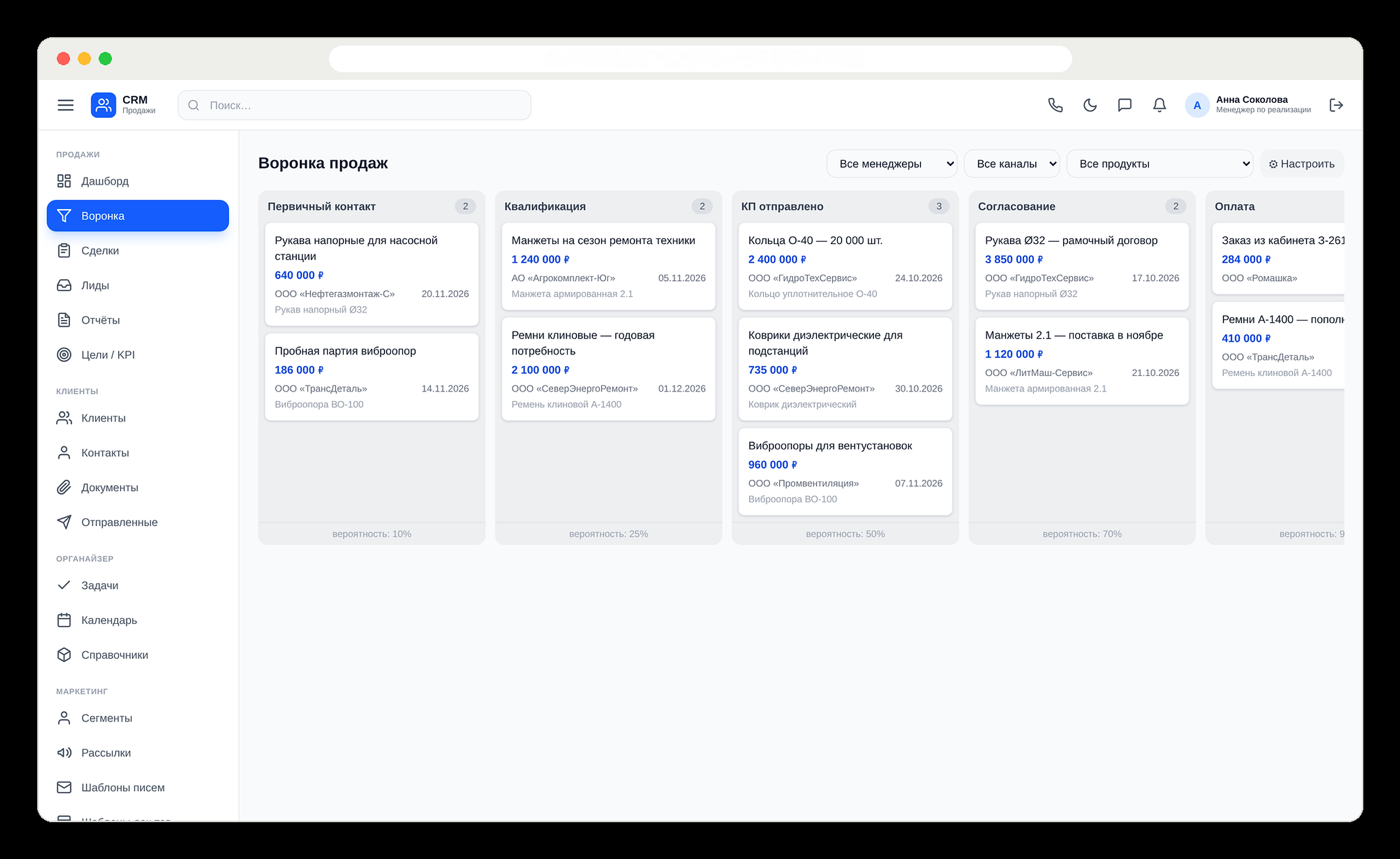
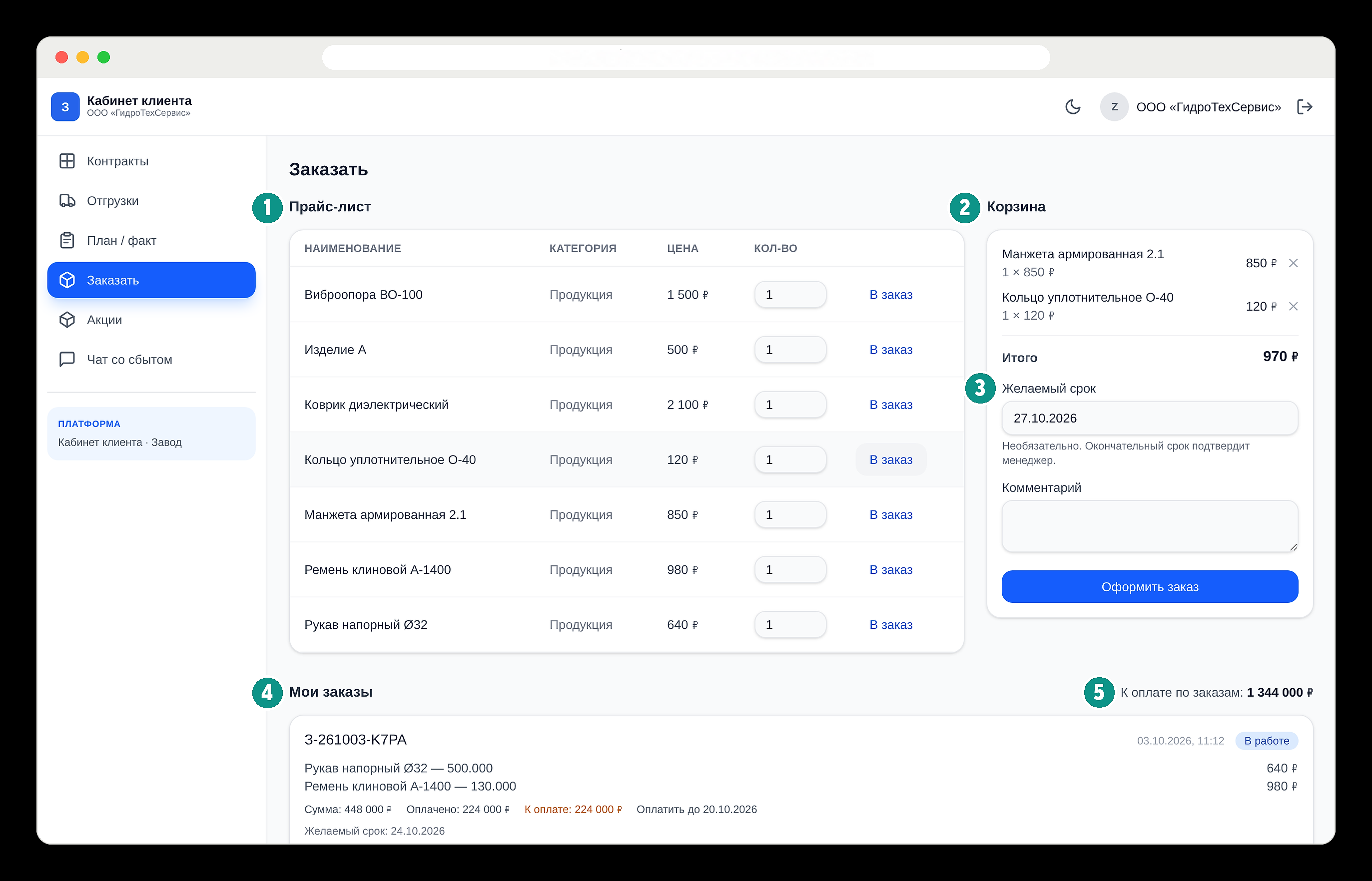
Developed for a major company in Russia’s chemical industry. CRM, telephony and a customer portal form a connected workflow. Managers handle deals, team leads see sales activity and customers track their orders.
The screens use demonstration data. Names, organisation names and numerical values are provided as examples. Any resemblance to real-world data is coincidental.
Discuss a similar projectNewperia
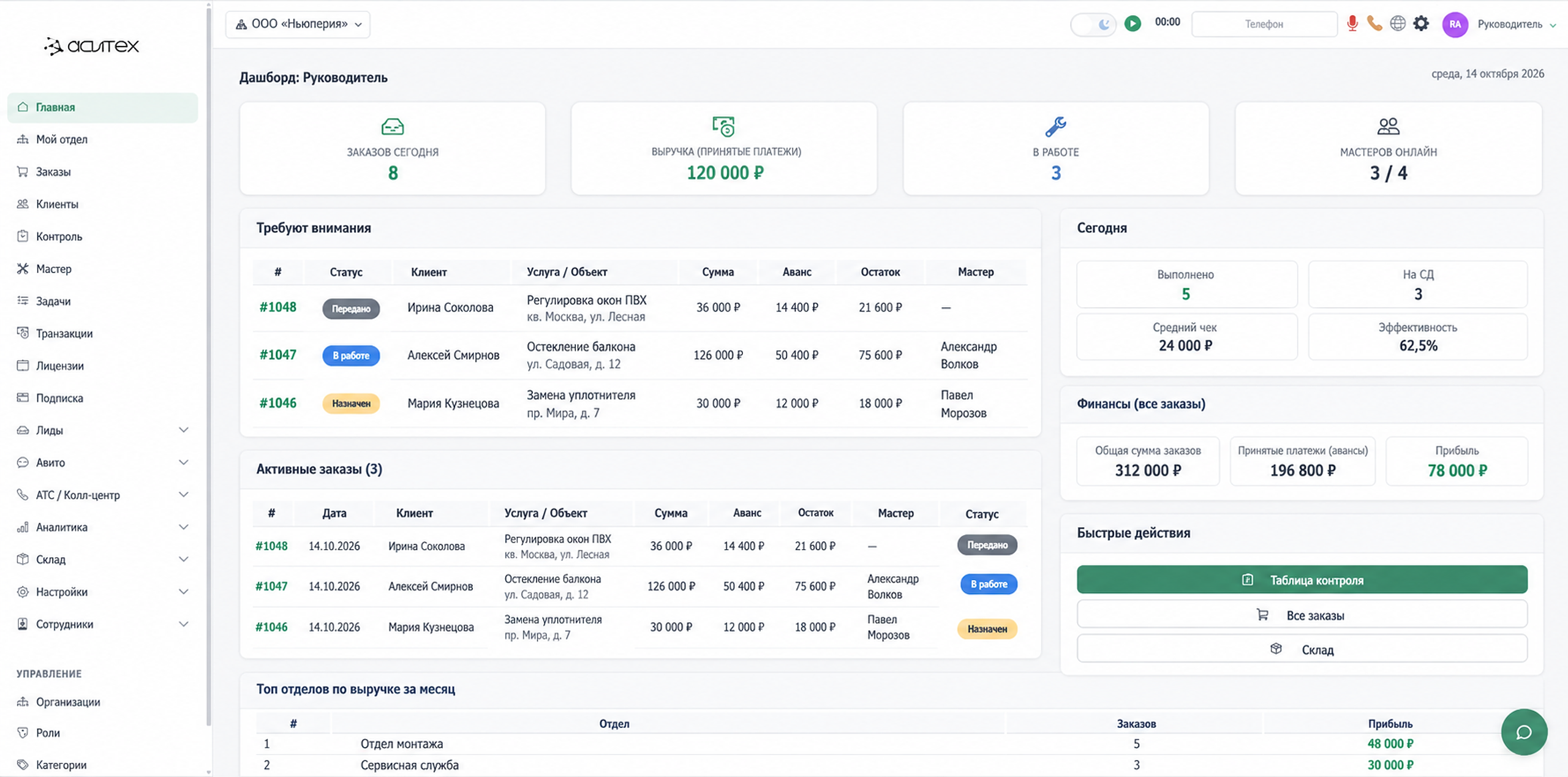
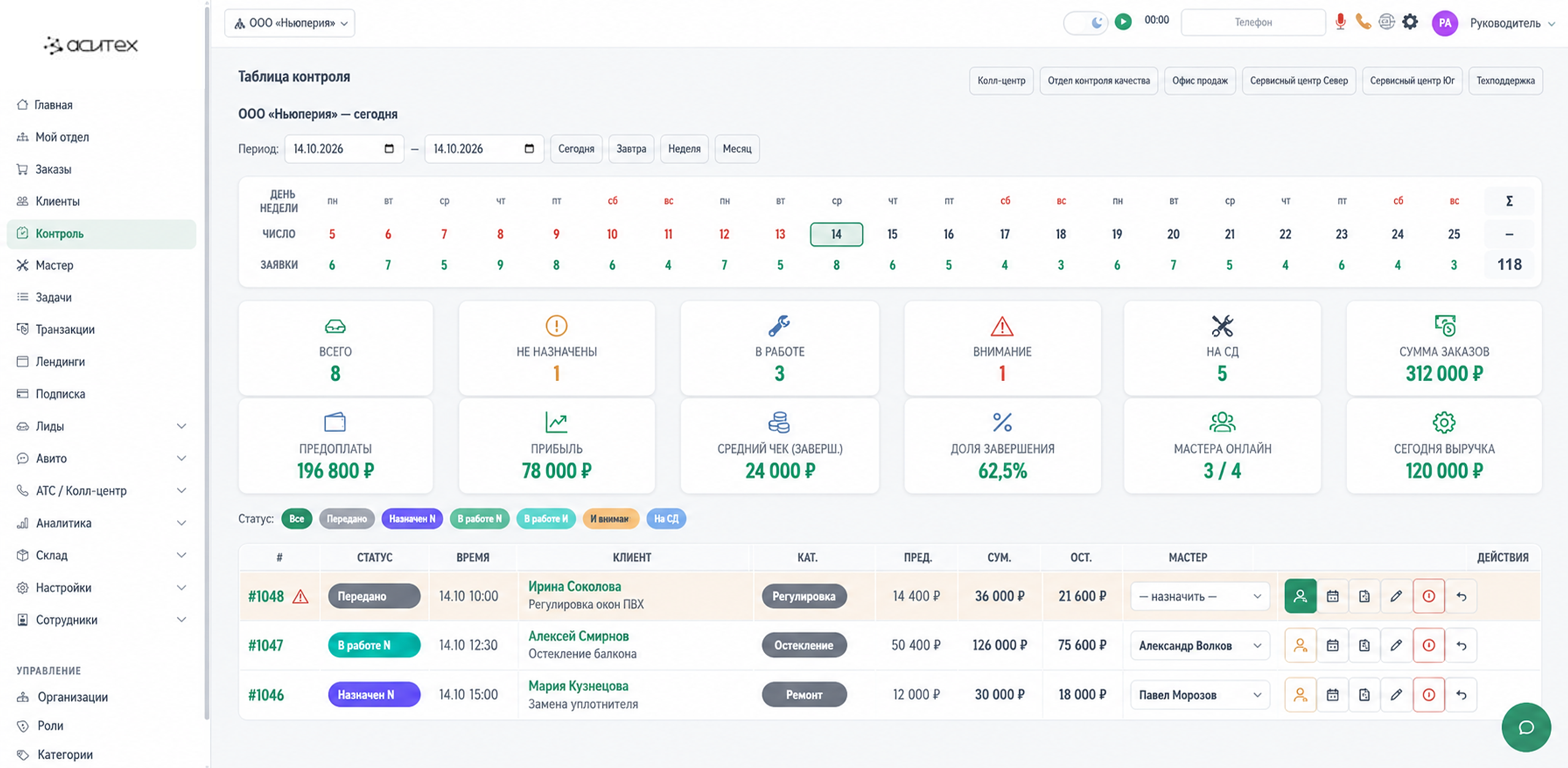
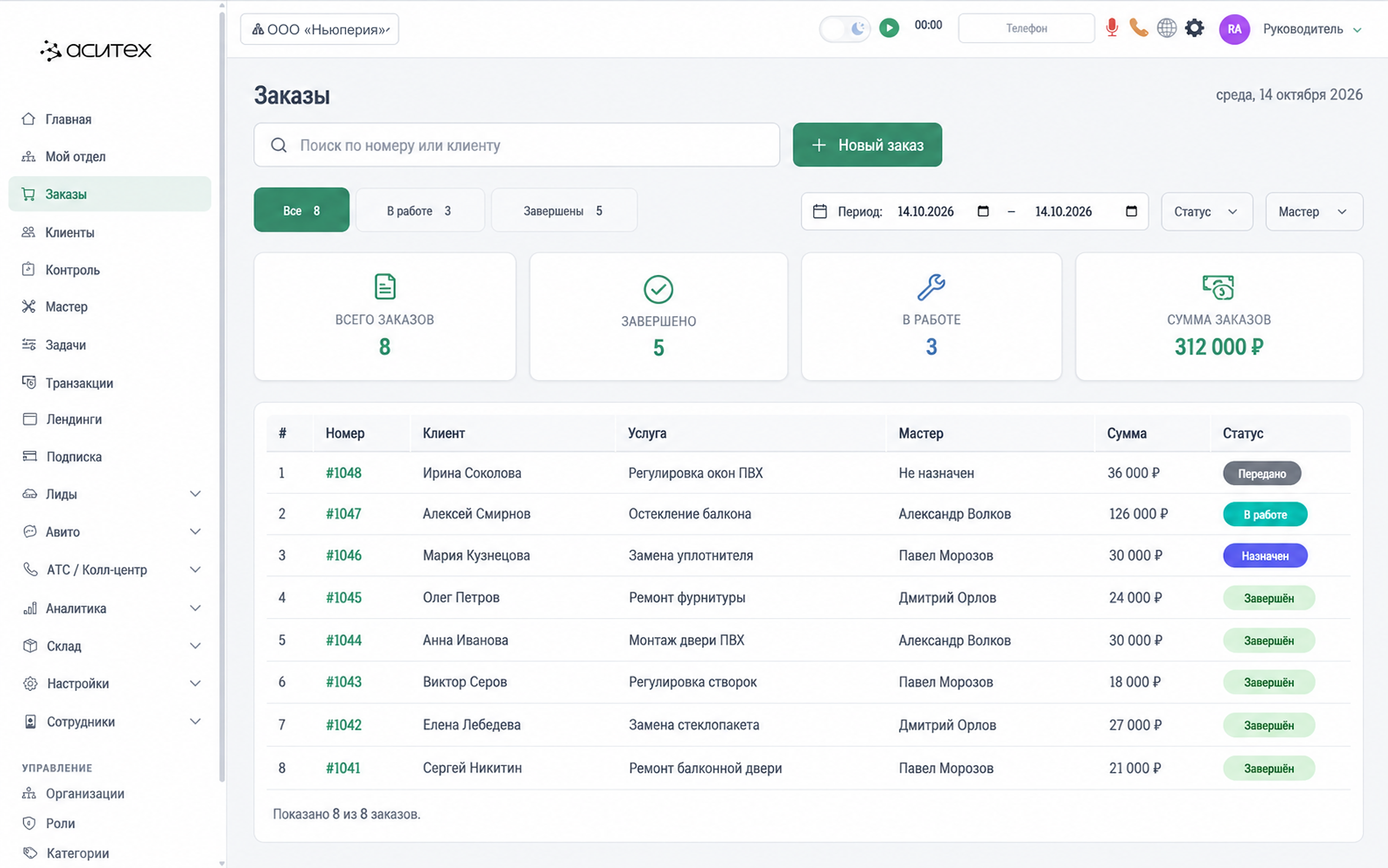
A workspace for orders, customers, technicians, inventory and analytics. Statuses and owners make the progress of each request visible.
The screens use demonstration data. Names, organisation names and numerical values are provided as examples. Any resemblance to real-world data is coincidental.
Discuss a similar projectOrdo
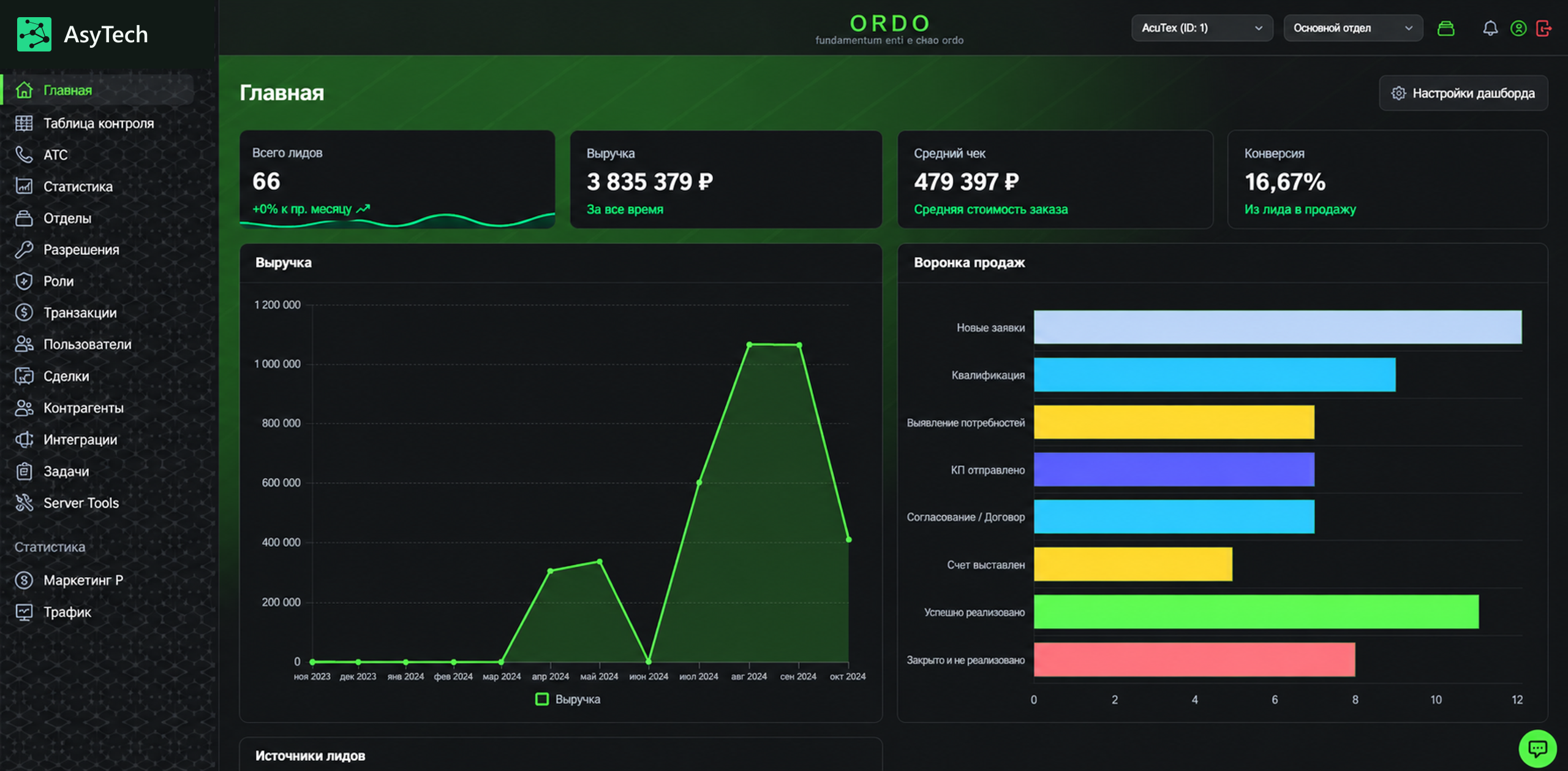
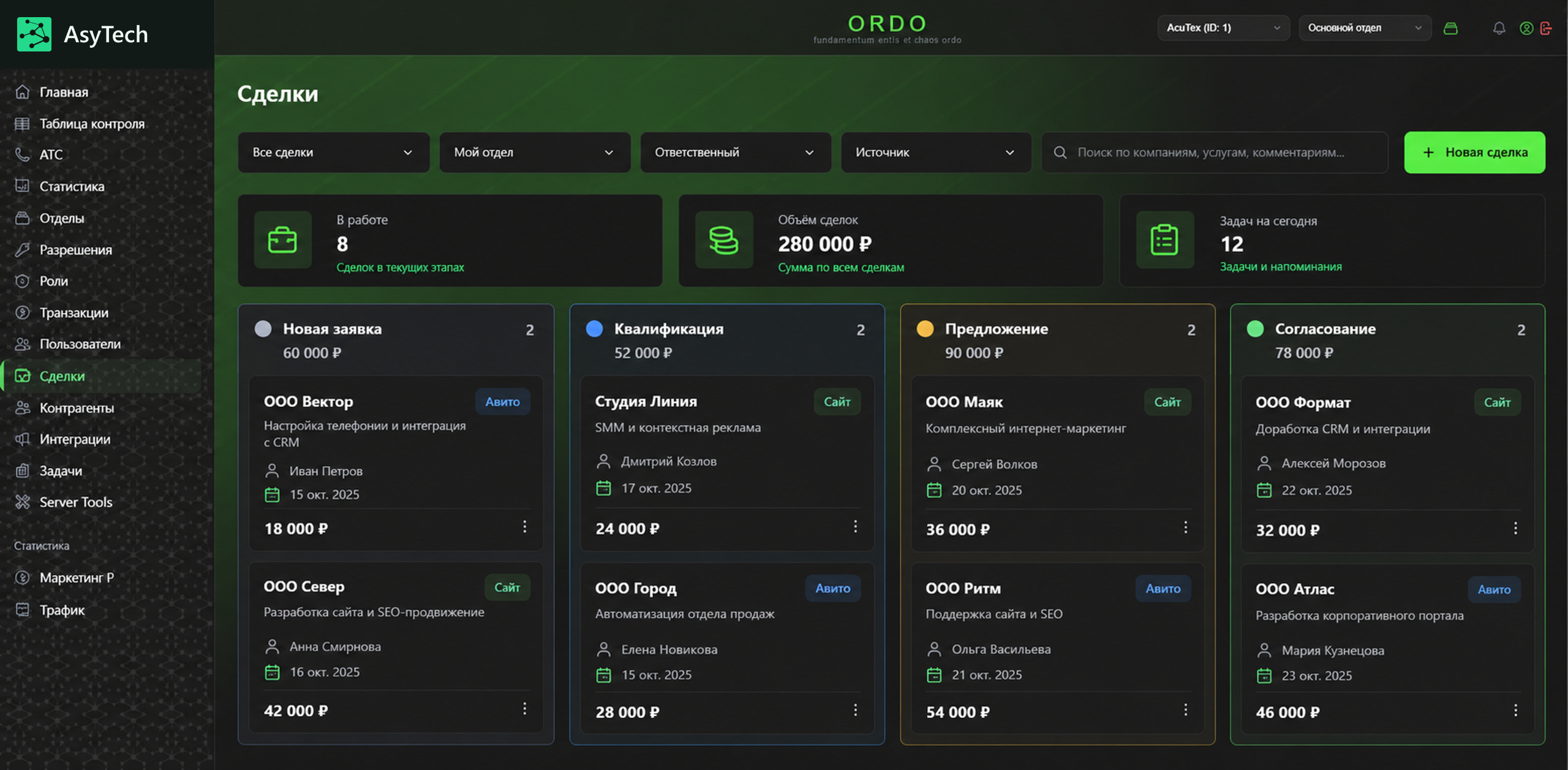
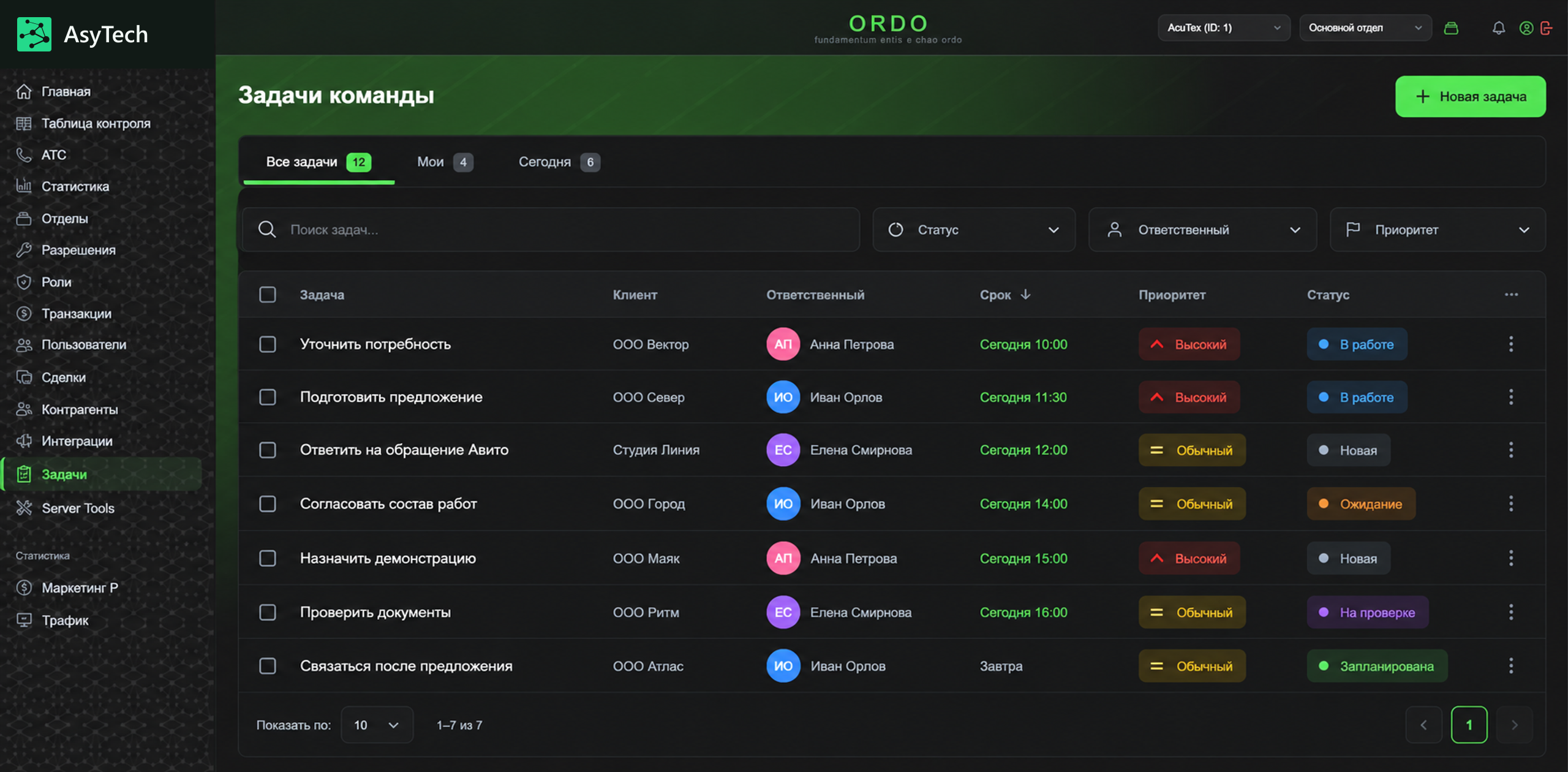
A multi-user hybrid CRM for handling Avito enquiries. Deals, customers, tasks and integrations share one interface, with department and role-based access.
The screens use demonstration data. Names, organisation names and numerical values are provided as examples. Any resemblance to real-world data is coincidental.
Discuss a similar projectAsy Finance
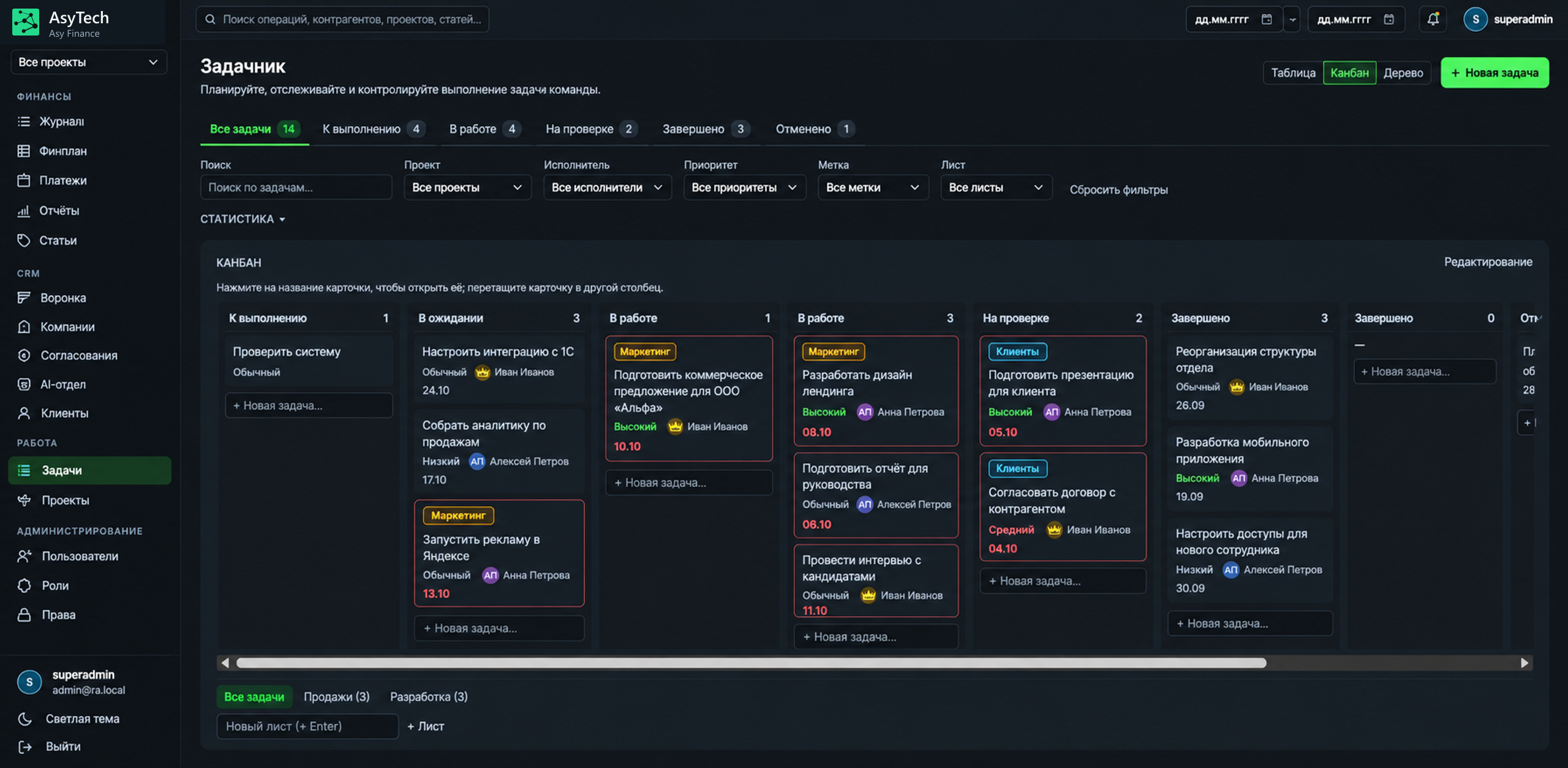
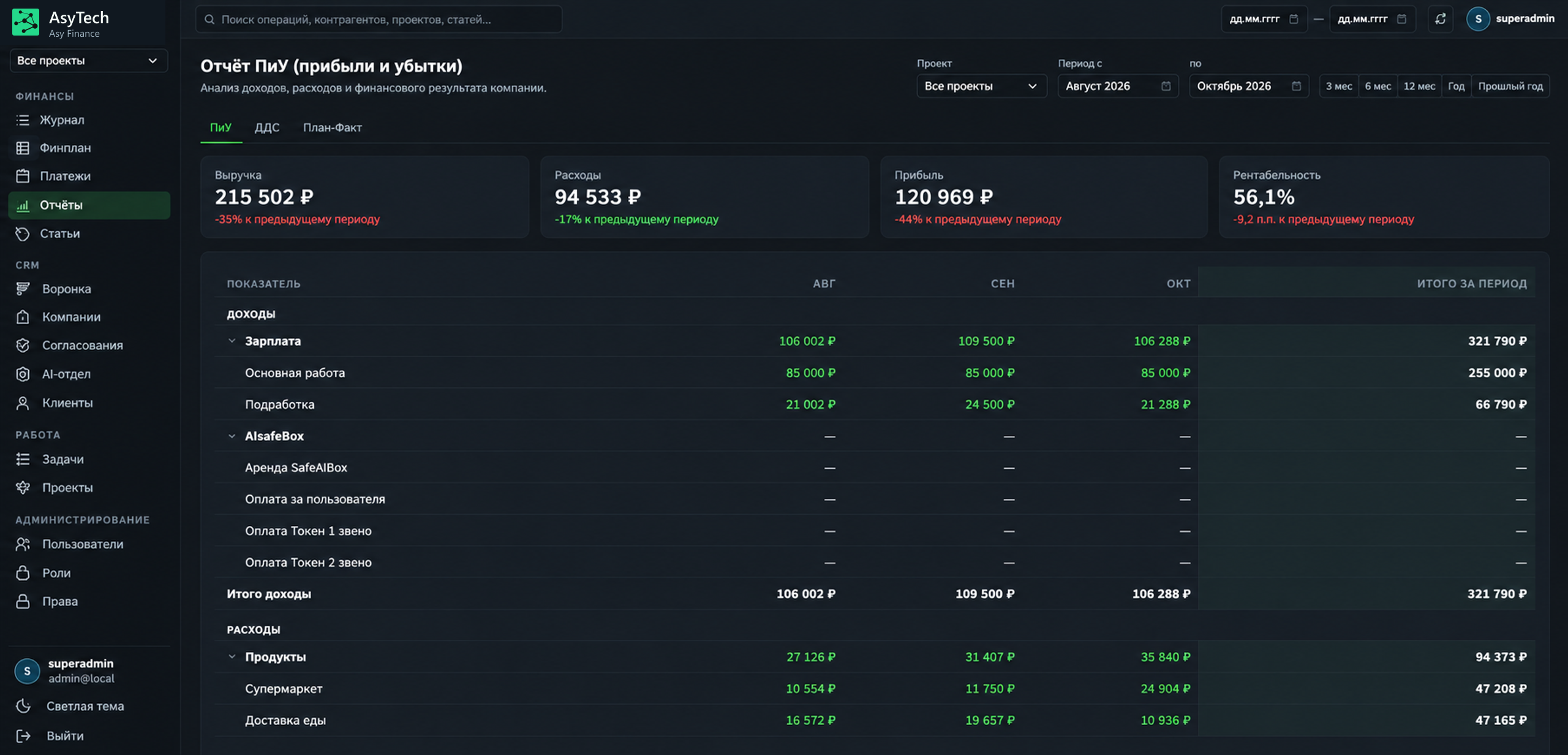
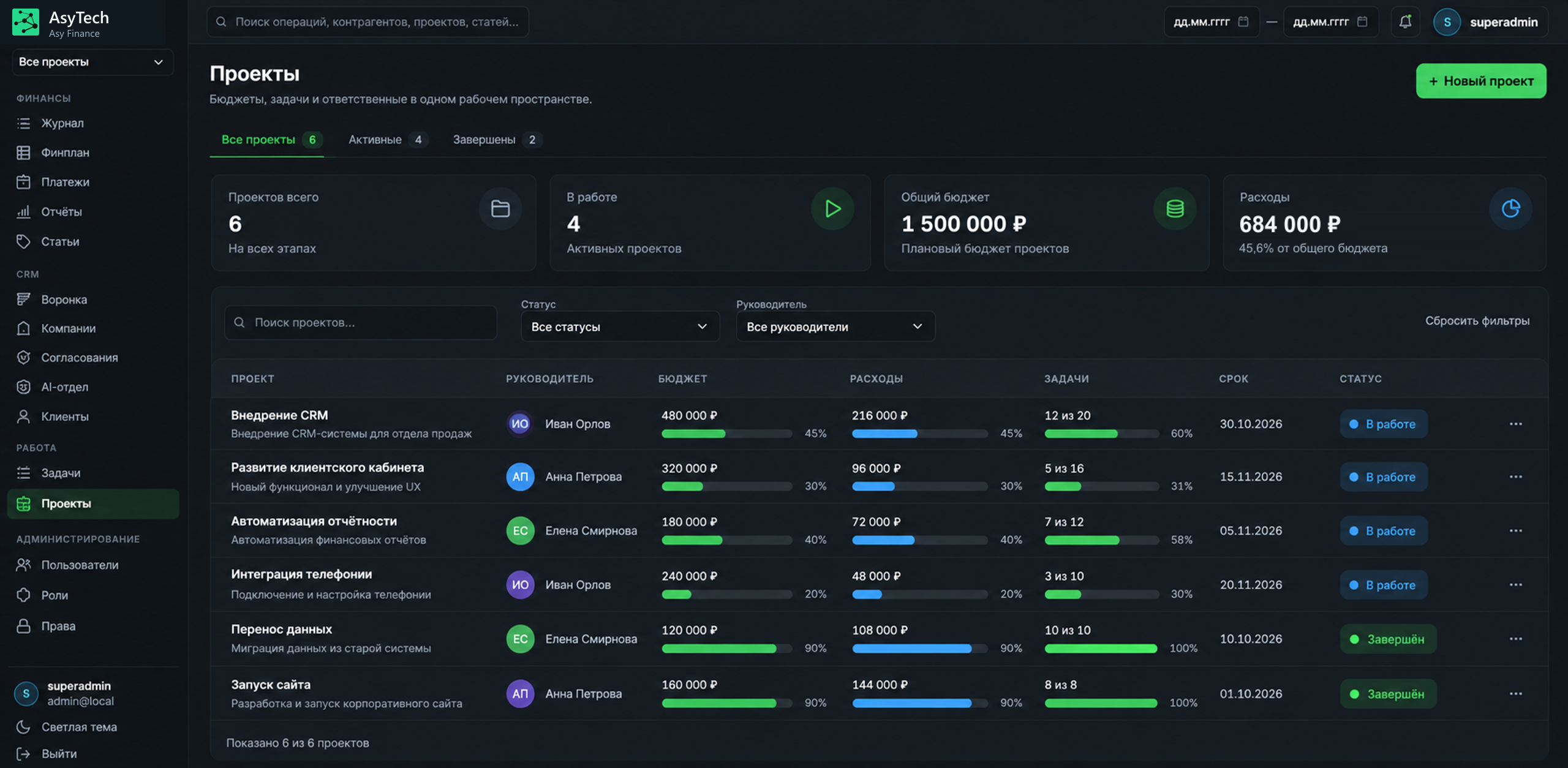
An internal hybrid system brings financial records, reporting, projects and tasks together. The team shares one workspace, with financial and operational views side by side. Asy Finance includes an AI sales department tailored to the company’s goals and workflows.
The screens use demonstration data. Names, organisation names and numerical values are provided as examples. Any resemblance to real-world data is coincidental.
Discuss a similar projectEXPLORE AN EXAMPLE
Switch stages and roles to see how a CRM helps move an enquiry towards an order.
The enquiry does not stay buried in a private message. The team has a customer record, enquiry source and conversation history.
An owner is assigned under agreed rules. The manager sees a task and the team lead knows who is handling the enquiry.
Agreements, documents and the next contact stay with the deal. Tasks and reminders help the team follow up on time.
The agreed order is handed over with the required data and documents. Exchange with inventory, production or other systems is scoped during design.
Customers, agreements and upcoming actions in one place. Less searching through messages and a clearer next step.
See deal stages, owners and where help is needed. Work from a shared picture of the sales process.
Orders arrive with context: agreements, required documents and a contact for questions.
An illustration of a possible workflow. Fields, stages and automatic actions are agreed for your business.
BUILT AROUND YOUR TEAM
Choose the functions your team needs day to day. Start with one customer journey and develop the system under an agreed plan.
Contacts, conversations and agreements.
Your stages, required actions and approvals.
Owners, deadlines and access permissions.
Proposals and documents linked to a deal.
Sales connected to inventory, production and delivery teams.
Deal stages, team workload and relevant reports.
KEEP WHAT WORKS
If your team works well with 1C, telephony or another tool, we first check integration options. Keep useful tools and replace what holds work back.
How we connect systemsA CLEAR ROLLOUT
Talk with people doing the work to understand the real sales process.
Prepare a short preliminary specification and agree stages, roles and data together.
Discuss scope, launch cost and ongoing work before development begins.
Help migrate data, learn the system and refine the agreed workflows during rollout.
ROOM TO GROW
Call analysis, conversation support and enquiry handling can form a separate development stage. First agree the task, data and integrations.
BEFORE YOU DECIDE
Not necessarily. We first review your processes and current tool limitations. If an existing solution is sufficient, we will say so.
We check export options, format and data quality, agree the migration scope, then verify completeness and accuracy.
Exchange scope and integration methods follow an assessment of your existing systems.
It follows the scope in the preliminary specification. We first understand your processes and agree the solution, then discuss launch, advance payment and ongoing work. Terms are agreed in advance.
Data belongs to the client. Access and export terms are agreed in the contract. Code remains with AsyTech; purchase and transfer of code rights can be negotiated separately.
START WITH YOUR SALES PROCESS
Tell us how enquiries arrive and what happens next. We will help clarify the work and define a useful first CRM version.
You do not need CRM expertise or a prepared specification.